URL To Domain
1) Input URLs Paste URLs to unlock Filters
2) Filters Select filters then Extract
Advanced Filter
3) Results Copy or Download
This conversion is the process of extracting a clean domain name from a full URL by removing protocols, paths, parameters, and tracking data. Instead of working with long, messy URLs, you get a simplified Domain Name that’s easier to analyze, organize, and use for SEO tasks. This process is especially important in search engine optimization, where accuracy and consistency matter.
For example, during Backlink Analysis, multiple URLs from the same site should be treated as one domain, not separate entries. This conversion helps clean datasets, remove duplicates, and provide a clearer picture of link sources and authority. Beyond SEO, converting URLs to domains is useful for outreach campaigns, reporting, and automation workflows.
What Is URL to Domain Conversion and Why Does It Matter?
URL to domain conversion is the process of turning a full URL into its base domain by removing protocols, paths, parameters, and tracking codes. For example, converting https://example.com/blog/post?utm=123 into example.com. This practice helps standardize data and avoids unnecessary complexity. In SEO and analytics, clean domain-level data leads to more accurate insights and better decision-making.

What Does URL to Domain Conversion Mean?
It means stripping a URL down to its root domain only. This removes http/https, subfolders, query strings, and tracking parameters. The result is a clean, uniform domain that’s easier to analyze and manage. This is especially useful when handling large datasets.
Normalization ensures that multiple URLs from the same website are treated as one entity. Without it, the same domain may appear multiple times with different URLs. This can inflate metrics, cause duplication, and lead to misleading conclusions in reports and audits.
Understanding URL Structure and Domain Components
To use url to domain conversion correctly, it’s important to understand how a URL is structured and which parts should be kept or removed. A typical URL is made up of multiple components, each serving a different purpose, but not all of them are needed for domain-level analysis. A standard URL includes the protocol (http or https), the domain name, optional subdomains, the path, and sometimes query parameters or fragments. For example:
https://blog.example.com/category/post?id=123&utm_source=google
- Protocol: https:// (not part of the domain)
- Subdomain: blog. (optional, depends on use case)
- Domain name: example.com (core identifier)
- Path: /category/post (page-specific)
- Parameters: ?id=123&utm_source=google (tracking data)
When converting a URL-to-domain, the goal is usually to extract the root domain, the main Domain Name that represents the site as a whole. Paths and parameters are removed because they don’t define the site’s identity and can create duplicate records in SEO datasets. Understanding these components ensures you extract domains accurately. It helps you avoid mistakes like treating every URL path as a separate site or incorrectly including tracking parameters, both of which can distort backlink analysis, outreach lists, and SEO reports.
URL to Root Domain vs Subdomain
When converting url to domain, one of the most important decisions is whether to extract the root domain or keep the subdomain. Understanding the difference ensures accurate SEO analysis, reporting, and outreach.
A root domain is the primary domain name without prefixes. For example, in https://blog.example.com, the root domain is example.com. This is usually the preferred output when doing SEO tasks like backlink audits, authority analysis, or preparing a disavow file, because search engines typically evaluate trust and authority at the root-domain level. A subdomain is an extension added before the root domain, such as blog.example.com, shop.example.com, or support.example.com. Subdomains can sometimes function as separate sections or even separate properties. In specific cases, like analyzing blog traffic separately or tracking SaaS app usage, you may want to keep subdomains intact.
So when should you choose each?
- Use the root domain for backlink analysis, outreach deduplication, and domain-level reporting.
- Keep subdomains when they represent distinct platforms, regions, or services that need separate tracking.
A good URL to domain converter lets you choose between extracting the root domain or preserving subdomains. Making the right choice avoids inflated counts, duplicate entries, and misleading SEO insights, helping you work with clean, accurate domain data.
How to Convert URL to Domain Using a Tool?
Converting a URL to a domain using a dedicated tool is the fastest and most accurate way to clean URLs, especially when working with large datasets. A reliable tool automatically removes protocols, paths, parameters, and tracking strings to return a clean Domain Name.
Step-by-Step Process
- Input URLs: Paste one or multiple full URLs into the tool (many support bulk input).
- Choose Output Options: Select whether you want the root domain only or to keep subdomains (depending on your use case).
- Run Conversion: The tool parses each URL and extracts the domain accurately.
Export Results: Download the cleaned domains in CSV/TXT for easy use in reports, outreach, or audits.
Why Use a Tool Instead of Manual Methods?
Manual extraction is error-prone, especially with complex URLs, international domains, or long query strings. Tools handle edge cases like trailing slashes, mixed protocols, and malformed URLs consistently. This accuracy is crucial for SEO workflows such as Backlink Analysis, where duplicates can skew insights.
- Validate outputs to ensure domains are normalized (lowercase, no trailing dots).
- Keep a log of settings used (root vs subdomain) for repeatability.
- For ongoing projects, prefer tools with bulk processing and automation.
Using a URL-to-domain tool saves time, improves data quality, and ensures consistent results across SEO, outreach, and analytics tasks.
Why Is URL to Domain Conversion Important for SEO?
Search engines such as Google evaluate trust and authority mainly at the domain level. When URLs are not converted, the same website can appear multiple times with different variations. Domain-level conversion ensures accurate evaluation of link equity and site authority.
How Does It Improve Backlink Analysis?
Backlink tools often export thousands of raw URLs from the same domain. Converting URLs to domains prevents duplicate counts caused by different paths or parameters. This provides clearer insights into referring domains, link diversity, and true backlink strength.
Metrics like domain authority and trust flow are calculated per domain. Clean domain data ensures these metrics are interpreted correctly. This helps in smarter link-building decisions and more accurate competitor comparisons.
How Does Domain Extraction Improve Backlink Accuracy?
Search engines assess link authority and trust primarily at the domain level. When domains are extracted from URLs, multiple links from the same site are counted correctly under one domain. This provides a clear view of referring domains, link diversity, and overall backlink quality.
Why Is Domain-Level Grouping Important?
Without domain grouping, the same website may appear multiple times in reports. This can exaggerate link counts and hide real link patterns. Domain extraction ensures cleaner data and more meaningful backlink metrics.
By focusing on domains instead of individual URLs, you can better evaluate the strength and relevance of referring sites. This makes it easier to identify high-quality links versus weak or spammy sources.
What Is a Bulk URL to Domain Converter?
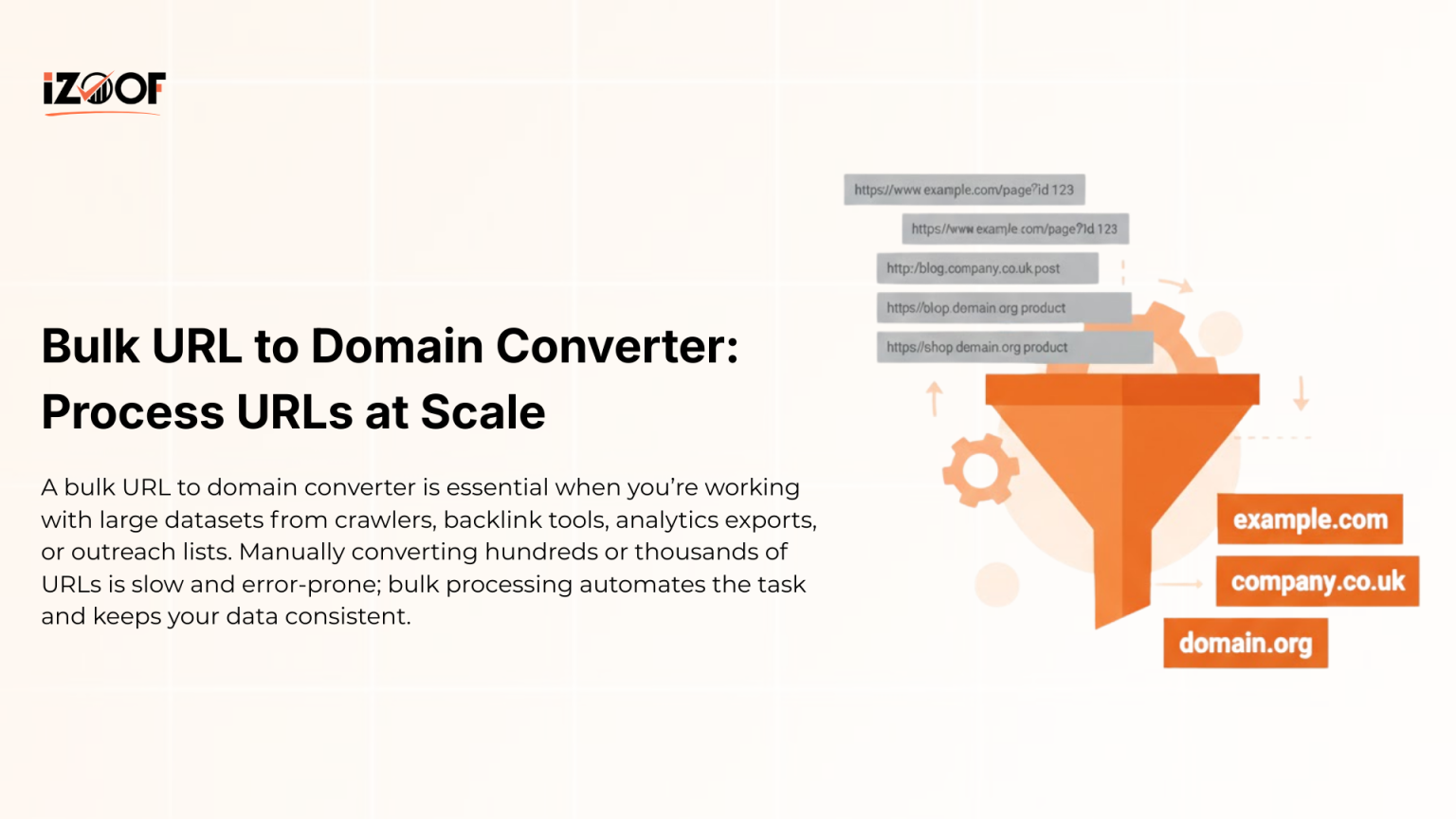
A bulk URL to domain converter is designed to process large URL datasets quickly and accurately. SEO professionals often deal with thousands of URLs from crawlers, backlink tools, analytics exports, or outreach lists. Manually converting these URLs is slow and error-prone. Bulk conversion automates the process, ensuring consistency and clean domain-level data at scale.
How Does Bulk URL to Domain Conversion Work?
The tool processes each URL by removing protocols, paths, parameters, and tracking tags. It then extracts standardized domain names as output. Advanced bulk converters can handle mixed protocols, international domains, and malformed URLs, which often cause issues in manual workflows.
In backlink analysis, bulk conversion prevents duplicate counting and reveals true referring domains. For outreach, it deduplicates prospects so the same site isn’t contacted multiple times. For link cleanups, it speeds up domain-level disavow preparation. Overall, it saves hours and improves decision accuracy.
Why Strip URL to Domain for Outreach & Disavow Files?
Stripping URLs to domains is a crucial step when preparing data for outreach campaigns and disavow files. Full URLs often include paths, parameters, and tracking strings that don’t represent unique websites. Removing these elements ensures you’re working with clean, domain-level data, which is the correct unit for most SEO actions and decisions.
How Does URL to Domain Stripping Improve Outreach Campaigns?
By stripping URLs to domains, you prevent duplicate outreach to the same website through different pages. Clean domain lists make it easier to deduplicate prospects, prioritize sites, and manage relationships professionally. It also improves reporting by showing outreach coverage at the site level instead of individual pages.
Google generally recommends disavowing entire domains rather than individual URLs when links are consistently low-quality. Stripping URLs to domains ensures all variations of a harmful site are covered. This reduces the risk of missing toxic links and improves the accuracy of disavow file submissions.
Get Domain Name from URL in Excel & Automation Tools
Getting the domain name from a URL using Excel or automation tools is useful when you’re handling recurring datasets, reports, or large SEO exports. While online converters are fast, spreadsheets and automation provide repeatability and control, especially for ongoing workflows.
In Excel, you can extract domains using formulas that remove protocols, paths, and parameters. A common approach is to first strip http:// or https://, then split the remaining text at the first /. This converts a full URL into a clean Domain Name. Excel is ideal for quick audits, small-to-medium datasets, and manual reviews.
Automating with Tools & Scripts
For scale and consistency, automation tools are better. SEO teams often use scripts, ETL tools, or APIs to convert URLs to domains automatically during data ingestion. This ensures every dataset is normalized the same way, critical for backlink analysis, outreach deduplication, and reporting.
- Decide upfront: extract root domains or keep subdomains.
- Normalize outputs (lowercase, remove trailing dots).
- Validate results to catch malformed URLs.
Using Excel for ad-hoc tasks and automation for recurring workflows gives you flexibility. Together, they help you convert URLs to domains accurately, efficiently, and at scale.
Common Mistakes
Avoiding mistakes during URL to domain conversion is essential to keep your SEO data clean, accurate, and actionable. Even small errors can lead to duplicate counts, broken outreach lists, or incorrect disavow actions.
- Keeping tracking parameters and paths
Failing to remove UTM parameters, session IDs, or long paths creates duplicate entries and inflates datasets. - Mixing protocols (http vs https)
Treating http://example.com and https://example.com as different domains skews reports. Always normalize protocols. - Incorrect handling of subdomains
Not deciding upfront whether to keep or remove subdomains leads to inconsistent results across analyses. - Ignoring international and multi-level TLDs
Domains like example.co.uk can be extracted incorrectly if tools aren’t TLD-aware. - Using manual copy-paste for large datasets
Manual extraction is error-prone and doesn’t scale. Use bulk or automated tools instead. - Not validating malformed URLs
Broken or incomplete URLs can produce invalid domains if not filtered or validated. - Overlooking case sensitivity and trailing dots
Inconsistent casing or trailing characters can create duplicates that are hard to spot.
By avoiding these mistakes, you ensure your URL-to-domain conversions are reliable, supporting accurate backlink analysis, clean outreach lists, and safer disavow files.
Conclusion
URL to domain conversion is a foundational process for anyone working with SEO, outreach, backlink analysis, or large web datasets. By stripping full URLs down to clean domain names, you eliminate noise, reduce duplication, and gain a clearer view of where links and opportunities truly come from. This accuracy is essential for making informed SEO decisions.
Whether you’re analyzing backlinks, preparing disavow files, running outreach campaigns, or cleaning exported data, working at the domain level saves time and prevents costly mistakes. Tools that convert URLs to domains, especially bulk and automated options, help standardize data and scale workflows efficiently. In short, mastering URL-to-domain conversion improves data quality, simplifies reporting, and strengthens SEO outcomes. Clean domains lead to cleaner insights and better results.
Our Other Tools
Explore other helpful Tools:
Frequently Asked Questions
What does URL to domain mean?
It means extracting the clean domain name from a full URL by removing protocols, paths, and parameters.
Why convert a URL to domain for SEO?
Because search engines evaluate authority mainly at the domain level, not individual URLs.
What is the difference between a root domain and subdomain?
A root domain is the main site (example.com), while a subdomain is an extension (blog.example.com).
Can I convert URLs to domains in bulk?
Yes. Bulk URL to domain converters process thousands of URLs at once accurately.
Should I strip URLs to domains for disavow files?
Yes. Google usually recommends disavowing at the domain level for consistent link cleanup.


